Why I built OFX Raw Host
I keep finding OpenFX plugins I want to try on a still photo, and then realizing the only way to run them is to open a full video host. Resolve, Nuke, something else with a timeline I do not need. For a look on one RAW file, that felt backwards.
So I built OFX Raw Host: a small desktop app that loads a still (RAW, TIFF, PNG, JPEG, EXR), runs it through one or more OFX filter plugins, shows a preview, and exports. No timeline. No NLE. Just the image and the effects.
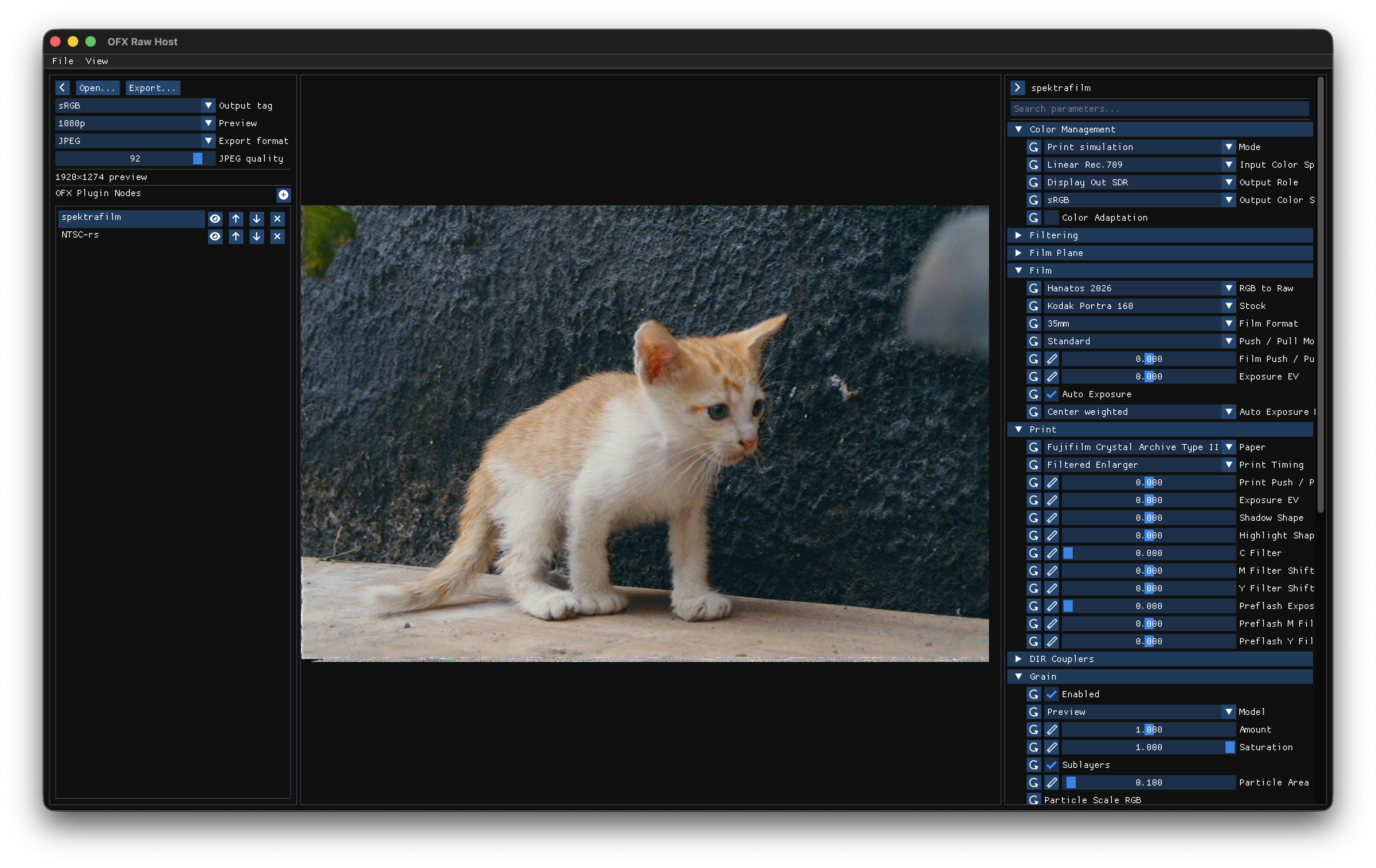
OFX Raw Host: open a still, stack OFX filters, preview, export.
The itch
OpenFX is a real standard. Plugin authors ship film sims, analog dirt, grade tools, and more under that API. A lot of that work lives inside hosts aimed at motion. If you are a photographer, or you just want to audition a look on one frame, you still pay the cost of a video app: project setup, clip import, render settings you do not care about.
I wanted the opposite shape. Drop a photo in. Pick a plugin (or a short chain). Tweak params. See the result. Export a JPEG or PNG. That is the whole loop.
There was also a selfish reason. Effects like spektrafilm-ofx and ntsc-rs are interesting to me as still-image looks, not only as video treatments. Sitting in Resolve just to try grain and print simulation on a DNG was getting old.
What I hoped to make
A host that stays small on purpose. C++17, Dear ImGui, LibRaw for camera files, a simple node list you can reorder and bypass. Preview at a few resolutions so you are not waiting on full-res every slider move. Export when you are ready.
It is not trying to replace a finishing pipeline. Color management is practical, not a full ACES suite. Plugin support is “filters that behave like still processors,” not every OFX context under the sun. If something needs a proper timeline or multi-clip graph, use a real NLE.
macOS gets packaged DMGs for Apple Silicon and Intel. The codebase is meant to build elsewhere too; Windows and Linux installers are still on the roadmap.
Who I hope it helps
Photographers and stills people who want OFX looks without learning a video editor first. Plugin authors who want a quick host for testing a filter on real photos. Anyone curious about film sims, VHS-style tools, or other OFX toys, and who would rather spend five minutes in a small app than twenty setting up a project they will delete later.
If that is you: grab a release from GitHub, drop an image in, and see what your installed OFX plugins do. If a plugin works well on stills and is not listed yet, a PR to the tested table is welcome.
I built this because I needed it. I am putting it out because I suspect a few other people needed the same shortcut.